Reel Paper FAQ logo
Reel Paper FAQ logo

All articles

How do I place a new order immediately?Updated 2 years ago

Step 1: Login to your Reel Account

  • enter your account email and you will be emailed a 4 digit code. If you've added your phone number to your account, you will also receive the 4 digit code via text message


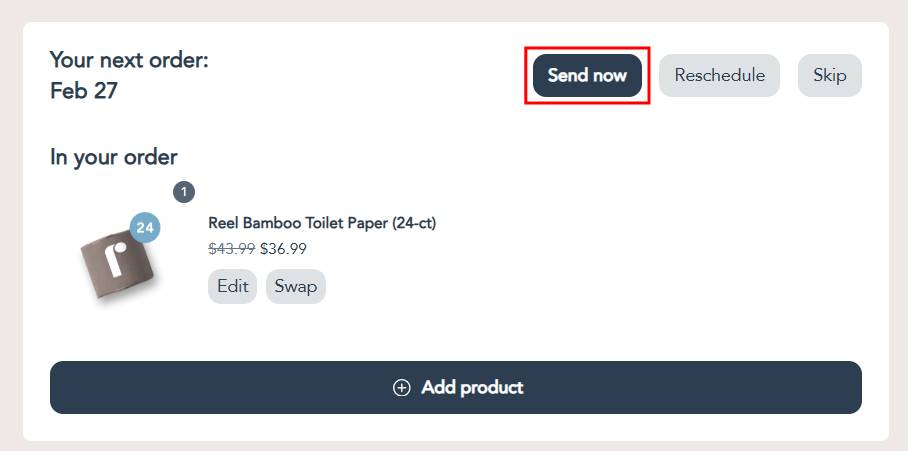
Step 2: Under the Your next order section, click the Send now button
article image


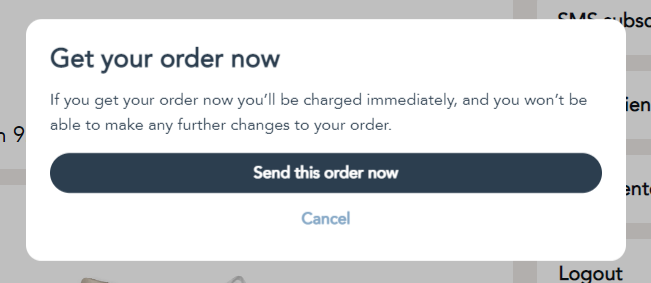
Step 3: A confirmation pop up will appear; click on the Send this order now button to confirm the order

  • if you don't confirm the order placement, no new order will be created and your next order date will remain as it was
article image


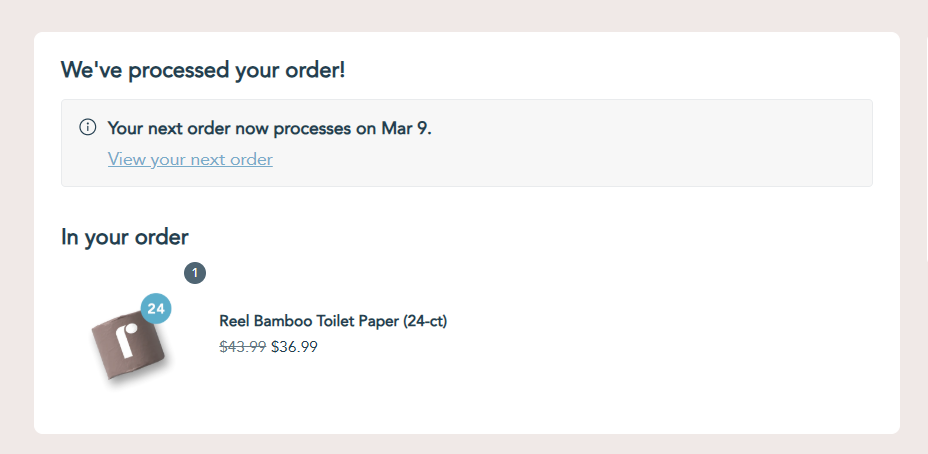
Step 4: After a few moments a green confirmation notification will appear, and then the page will refresh and will immediately show your next order date

  • once the green confirmation notification disappears and the page refreshes, the order has been placed successfully and no more action is needed

To confirm the order was successfully placed

If you'd still like to double check that the order was placed successfully, click on the View previous orders button located in the sidebar (on mobile, it will be at the bottom of the page)

article image


The View previous orders page shows all your order history, and you can confirm that a new order was placed by looking at the most recent order date

article image


To get back to the Your next order section, just click on either of the Back or View your next order buttons

article image


Was this article helpful?
Yes
No